
4-Corner Document Scanner
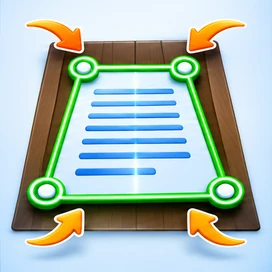
Drag four corner markers to crop, straighten and clean a photographed page.
What is 4-Corner Document Scanner?
Fix skewed paper photos by adjusting four draggable corners, applying perspective correction and enhancing shadows. Save JPG or PDF with watermark. This free online workspace is created for practical everyday document tasks. Use only documents and images you are authorized to process.
Who can use this tool?
Anyone taking document pictures at an angle, including students, offices and application centres.
How to use 4-Corner Document Scanner
- Select a photo of a paper document.
- Drag the four circle handles onto the actual page corners, in order.
- Pick the scan mode and strength; click Scan & Straighten.
- Check the corrected result and download JPG/PDF with bottom-right watermark.
Helpful notes before you begin
Move all four corners onto the document itself. Crop and shadow correction cannot restore text that is missing or out of focus. Output is watermarked. OCR accuracy depends on lighting, angle, resolution, language, fonts and the underlying image. Translation can change the meaning of specialized legal, financial or medical language, so manually review important documents.
Frequently asked questions
Do the four markers have to be accurate?
Yes. Place them on the actual paper corners for the best perspective correction.
Can this fix a very blurry photo?
It can straighten and increase contrast but cannot reconstruct missing text in a very blurry photo.
Will the finished PDF contain a watermark?
Yes, INTEGRA TOOLS is marked at the bottom-right of JPG and PDF outputs.